
Core Web Vitals Explained | What They Mean for Your Website – Navyug InfoTech
Google doesn’t just look at your content when ranking your website — it also measures how your site actually performs for real visitors.
By Navyug InfoTech, Ahmedabad
Google doesn’t just look at your content when ranking your website — it also measures how your site actually performs for real visitors. That’s where Core Web Vitals explained in simple terms becomes important for any business relying on organic traffic.
At Navyug InfoTech, we build websites with Core Web Vitals in mind from the start, rather than treating performance as something to fix after launch.
Here’s what each metric actually measures and how to improve it.
What Are Core Web Vitals
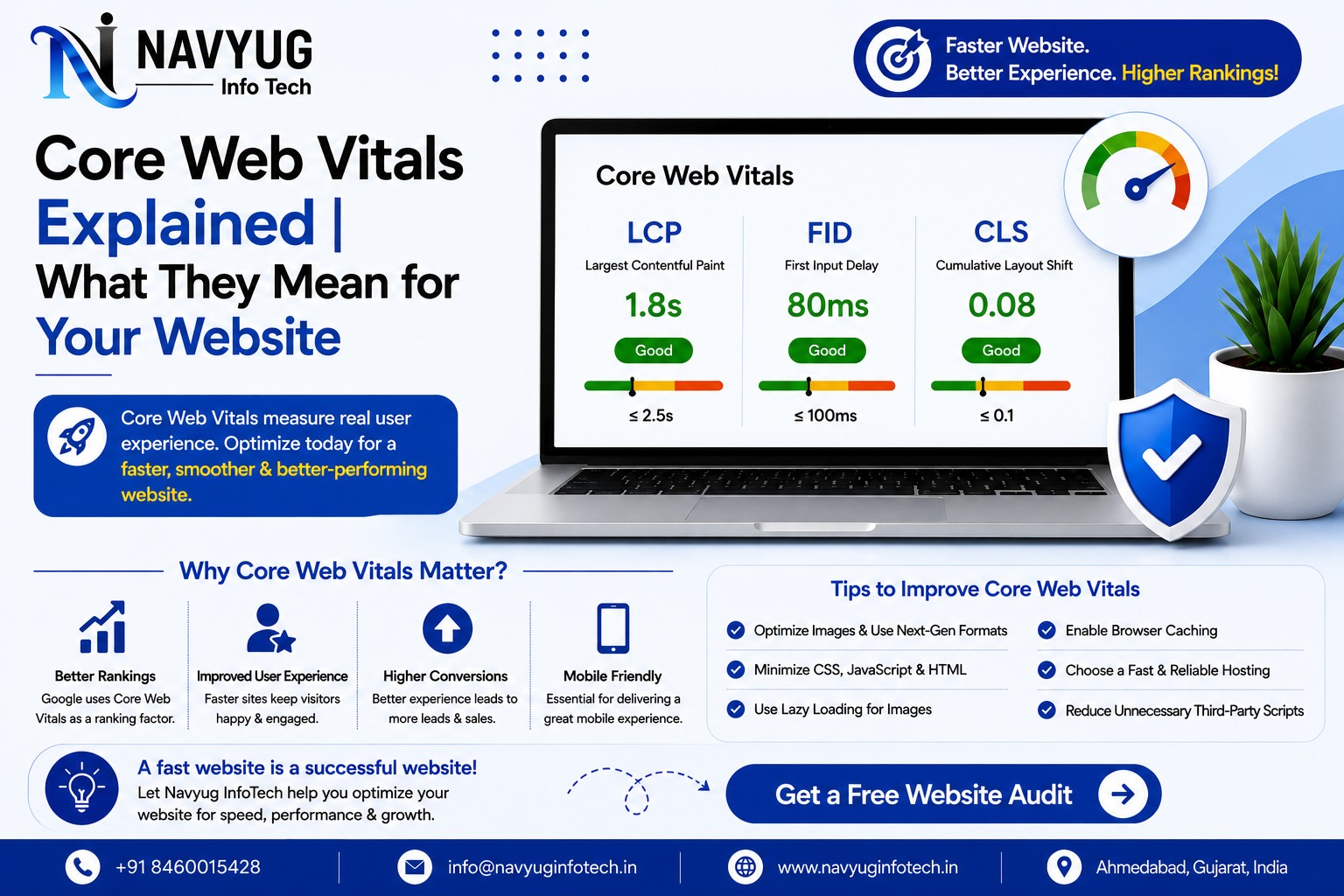
Core Web Vitals are a set of specific metrics Google uses to measure real-world user experience: how fast content loads, how quickly a page responds to interaction, and how visually stable it is while loading.
The Three Core Web Vitals Metrics
LCP — Largest Contentful Paint
Measures how long it takes for the largest visible element, like a hero image or headline, to load. A good score is under 2.5 seconds.
INP — Interaction to Next Paint
Measures how quickly your website responds when a visitor clicks, taps, or types. A good score is under 200 milliseconds.
CLS — Cumulative Layout Shift
Measures unexpected layout shifts, like buttons moving as images load in. A good score is under 0.1, keeping the page visually stable.
How to Improve Core Web Vitals
- Compress and properly size images before uploading
- Use modern image formats like WebP for faster loading
- Minimize and defer unnecessary JavaScript
- Reserve space for images and ads so layout doesn’t shift
- Use reliable, fast hosting with good server response times
- Limit third-party scripts that slow down interaction
- Enable browser caching and a content delivery network
Why Core Web Vitals Matter for SEO
Core Web Vitals are part of Google’s page experience signals, meaning poor scores can hold back rankings even when your content is strong. They also directly affect conversions, since slow or unstable pages frustrate visitors and drive them away before they act.
How to Check Your Core Web Vitals
- Google Search Console’s Core Web Vitals report
- PageSpeed Insights for page-by-page testing
- Chrome DevTools Lighthouse audits
- Google’s CrUX (Chrome User Experience) report for real-user data
Our Website Performance Services
Navyug InfoTech builds and optimizes websites to meet Core Web Vitals benchmarks, improving both search performance and user experience.
- Core Web Vitals Audits
- Image & Asset Optimization
- Code & Script Optimization
- Hosting & Server Performance Review
- Ongoing Performance Monitoring
Why Choose Navyug InfoTech?
- 10+ Years of Web Development Experience
- Performance Built In From the Start, Not Bolted On
- Technical SEO Knowledge Beyond Just Design
- Clear Reporting on Real Performance Improvements
- Ongoing Monitoring & Support
Frequently Asked Questions
Do Core Web Vitals directly affect my Google ranking?
Yes, they’re part of Google’s page experience signals, though strong content and relevance still matter more overall.
How often should I check my Core Web Vitals score?
Checking monthly, or after any major site changes, helps catch issues before they impact rankings or user experience.
Can I fix Core Web Vitals issues myself?
Some fixes like image compression are simple, but issues involving code, scripts, or hosting often need a developer’s attention to resolve properly.
Not Sure How Your Website Scores?
Let Navyug InfoTech run a Core Web Vitals audit and fix what’s holding your site back.
Get Free Consultation

Ready for a website that feels like the future?
Tell us about your business. We will reply with a clear plan, timeline and quote.