
WordPress Plugin & Theme Security: Protecting Your Site from Vulnerabilities – Navyug InfoTech
WordPress itself is a secure, well-maintained platform, but the plugins and themes businesses add to it are the most common way sites actually get compromised.
By Navyug InfoTech, Ahmedabad
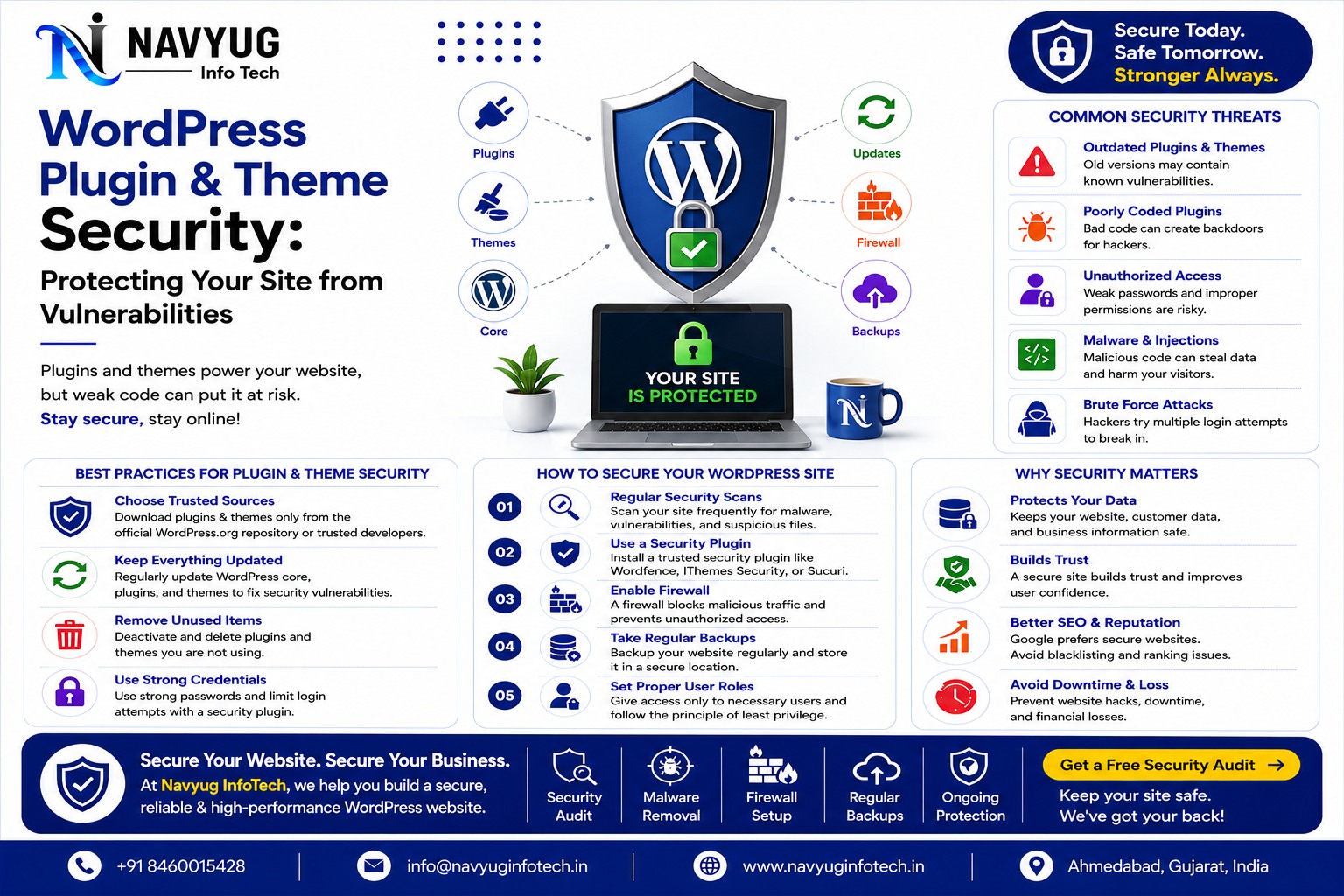
WordPress itself is a secure, well-maintained platform, but the plugins and themes businesses add to it are the most common way sites actually get compromised. WordPress plugin security deserves far more attention than it usually gets.
At Navyug InfoTech, we build and maintain WordPress sites with security treated as an ongoing responsibility, not a one-time setup step.
Here’s what actually puts a WordPress site at risk, and how to prevent it.
Why Plugins and Themes Are the Weak Point
- Third-party code isn’t held to the same security standards as WordPress core
- Abandoned plugins stop receiving security patches but keep running on live sites
- Nulled or pirated themes and plugins often contain hidden malicious code
- Too many installed plugins increase the total attack surface of a site
- Outdated versions are the single most common entry point for automated attacks
Practical Steps to Secure a WordPress Site
Keep Everything Updated
Core, plugins, and themes should be updated promptly, since most security patches address vulnerabilities that are already being actively exploited elsewhere.
Remove What You Don’t Use
Deactivated plugins and themes still pose a risk if left installed. Delete anything that isn’t actively in use.
Only Use Trusted Sources
Download plugins and themes only from the official WordPress repository or reputable developers, never from pirated or “nulled” sources.
Limit Login Attempts
Brute-force login attempts are constant on the open web. Limiting attempts and using strong, unique passwords blocks most automated attacks outright.
Use a Web Application Firewall
A firewall filters malicious traffic before it ever reaches your WordPress installation, catching many attacks before they’re even attempted.
Take Regular, Tested Backups
Even with strong prevention, backups are what let you recover quickly if something does go wrong, so they need to actually be tested, not just scheduled.
Warning Signs Your Site May Be Compromised
- Unexpected redirects or pop-ups appearing for visitors
- New admin accounts you didn’t create
- A sudden drop in search rankings or a Google security warning
- Unfamiliar files or code appearing in your site’s directories
- Slower site performance with no obvious cause
Our WordPress Development & Maintenance Services
Navyug InfoTech builds WordPress websites with security built into the foundation, and keeps them protected through ongoing maintenance.
- Custom WordPress Development
- WordPress Security Hardening
- Malware Scanning & Removal
- Regular Updates & Automated Backups
- Ongoing Website Maintenance Plans
Why Choose Navyug InfoTech?
- 10+ Years of WordPress Development Experience
- Security-First Development Practices
- Proactive Monitoring, Not Just Reactive Fixes
- Experience Recovering Compromised WordPress Sites
- Ongoing Technical Support
Frequently Asked Questions
How often should WordPress plugins be updated?
As soon as updates are available, ideally checked weekly, since delaying updates leaves known vulnerabilities exposed for longer.
Is a free security plugin enough to protect my site?
Free plugins help, but they’re not a complete solution on their own. Server-level security, regular updates, and monitoring all matter too.
What should I do if my WordPress site gets hacked?
Take the site offline or restrict access immediately, restore from a clean backup if available, and have a professional scan for and remove any remaining malicious code before bringing it back fully online.
Not Sure How Secure Your WordPress Site Actually Is?
Let Navyug InfoTech run a security check and keep your website protected going forward.
Get Free Consultation
Ready for a website that feels like the future?
Tell us about your business. We will reply with a clear plan, timeline and quote.