
Google Analytics & Search Console Setup Guide for Business Websites – Navyug InfoTech
You can’t improve what you don’t measure.
By Navyug InfoTech, Ahmedabad
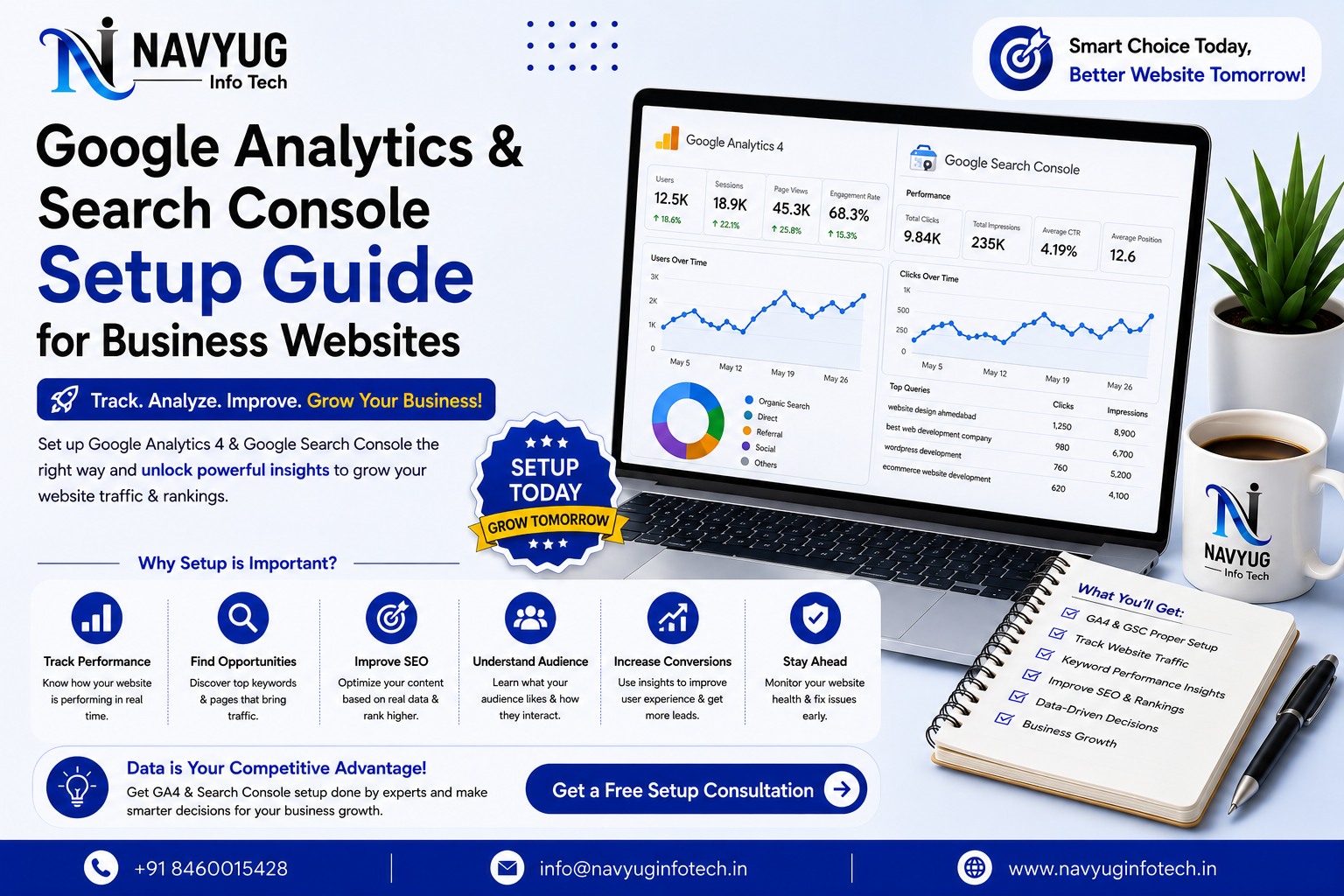
You can’t improve what you don’t measure. Without proper Google Analytics and Search Console setup, businesses are left guessing how visitors find their site, what they do once they arrive, and where things are going wrong.
At Navyug InfoTech, Google Analytics and Search Console setup is part of every website launch, so our clients have real data from day one instead of flying blind for months.
Here’s why both tools matter and how to get them set up correctly.
Why You Need Both Tools
- See exactly how many people visit your site and where they come from
- Understand which pages perform best and which ones lose visitors
- Track conversions like form submissions, calls, and purchases
- Monitor which search queries actually bring in traffic
- Spot technical issues affecting your search visibility
- Make decisions based on real data instead of assumptions
Setting Up Google Analytics (GA4)
Create Your GA4 Property
Set up a GA4 property under your Google Analytics account and generate the tracking code specific to your website.
Install the Tracking Code Correctly
The tracking snippet needs to be added to every page, ideally through Google Tag Manager for easier long-term management.
Set Up Conversion Events
Define what counts as a conversion for your business, such as a contact form submission, phone click, or completed purchase, and track it as an event.
Link GA4 to Google Ads (If Running Campaigns)
Linking accounts allows conversion data to inform ad optimization, improving results from paid campaigns over time.
Setting Up Google Search Console
Verify Website Ownership
Verify your domain through DNS, HTML file upload, or your GA4 connection to unlock full Search Console reporting.
Submit Your XML Sitemap
Submitting a sitemap helps Google discover and index your pages faster and more completely.
Monitor Search Performance
Track which queries bring traffic, your average ranking position, and click-through rates for individual pages.
Check for Indexing and Technical Issues
Search Console flags crawl errors, mobile usability problems, and pages excluded from indexing that need attention.
Common Setup Mistakes to Avoid
- Installing tracking code on some pages but not others
- Never defining what counts as a conversion
- Leaving Search Console unverified or unchecked for months
- Not submitting an updated sitemap after site changes
- Ignoring reports until something visibly breaks
Our Analytics & Tracking Services
Navyug InfoTech sets up and maintains proper tracking for every website we build, plus audits for existing sites with tracking gaps.
- GA4 & Google Tag Manager Setup
- Google Search Console Configuration
- Conversion & Goal Tracking
- Monthly Traffic & Performance Reports
- Tracking Audits for Existing Websites
Why Choose Navyug InfoTech?
- 10+ Years of Web Development & SEO Experience
- Analytics Set Up Correctly From Day One
- Clear, Jargon-Free Reporting
- Data-Driven Recommendations, Not Guesswork
- Ongoing Monitoring & Support
Frequently Asked Questions
Is Google Analytics free to use?
Yes, GA4 and Google Search Console are both free tools and are essential for any business website, regardless of size.
How long until I see meaningful data?
Basic traffic data appears immediately, while Search Console performance data typically takes a few days to a couple of weeks to populate fully.
Can I set this up myself?
You can, but incorrect setup is common and often leads to inaccurate data. Professional setup ensures tracking is accurate from the start.
Not Sure What’s Happening on Your Website?
Let Navyug InfoTech set up proper tracking so you can finally see the full picture.
Get Free Consultation

Ready for a website that feels like the future?
Tell us about your business. We will reply with a clear plan, timeline and quote.